Sign in to Back Office

The back office your community is missing.

Skool shows you activity. We show you what it means: who paid, what you really keep after fees, where your members come from, and who's about to leave.

Join Skool Reports & Tools › Your Back Office comes with your membership.

See it for yourself

A few of the reports inside Back Office.

Know your community, not just your member count

Back Office reads your community the same way you see it in Skool, then lays it out so the answers are one click away.

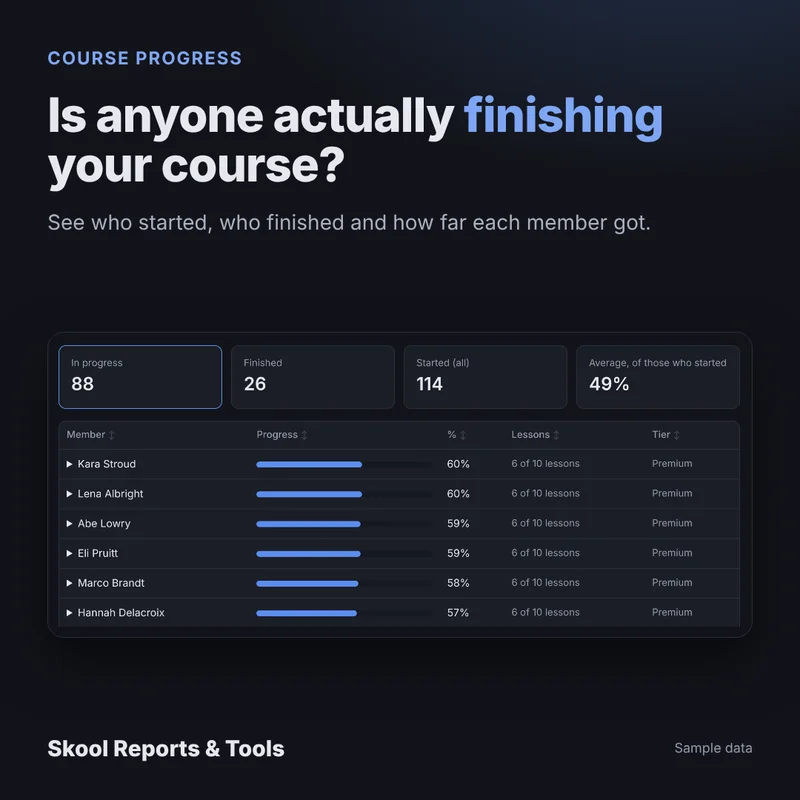
Members and course progress

Every member, their tier, when they joined and how far they've got in each course.

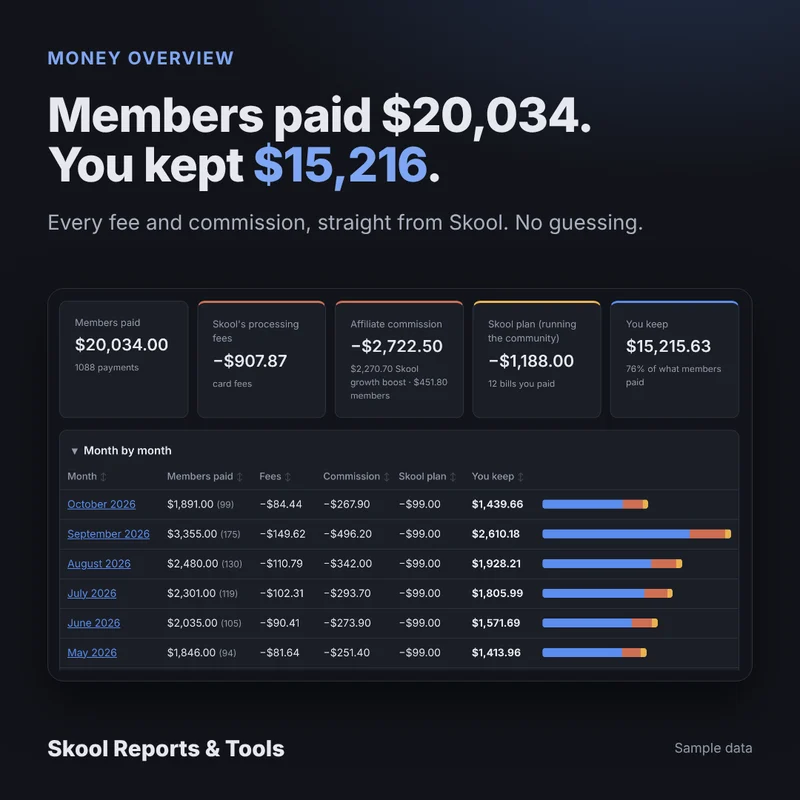
What you really keep

Skool's own fee and commission on every payment, so you see the money that's actually yours.

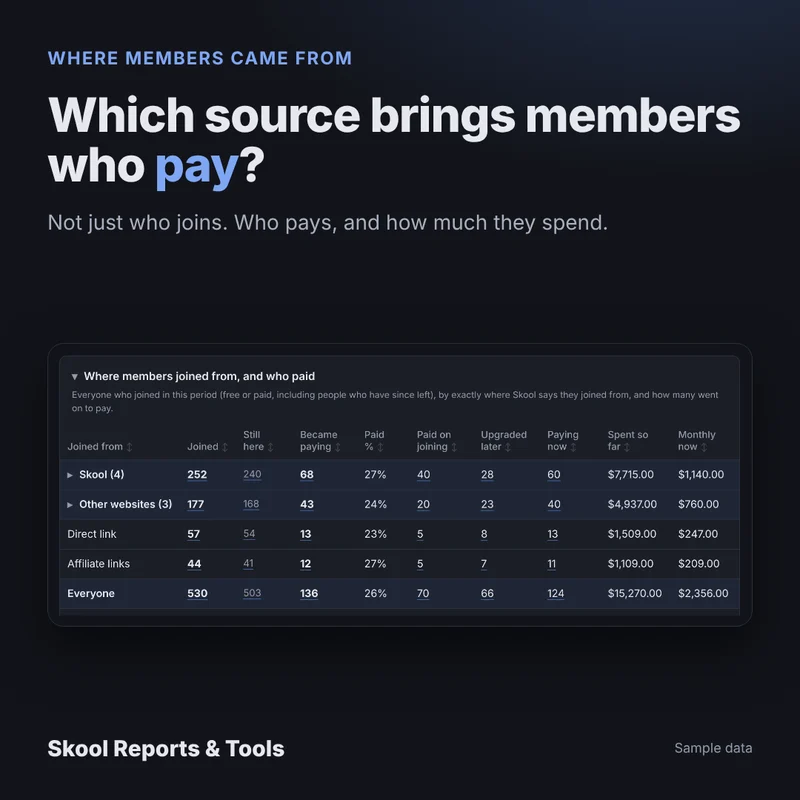
Where members come from

Visitors and joins by source, and which sources turn into paying members.

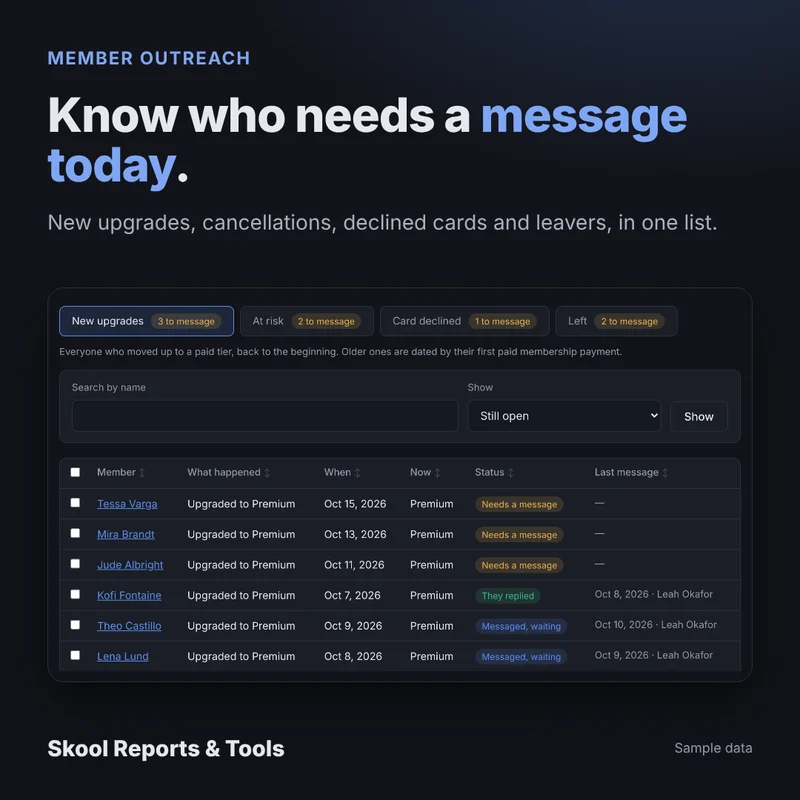
Who's about to leave

Cancelling members, declined cards and recent leavers, ready to reach out to before they're gone.

Does the growth boost pay?

What Skool's growth boost brought in, next to what it cost you, so you can decide whether to keep it on.

Calendar and posts

Plan events and post to your community from one place, with your team's name on what they write.
Three levels, one community

Your level in Skool Reports & Tools decides what opens in your Back Office. Move up any time and the extra reports open by themselves.

Standard

See what's happening

The everyday view of your community.

  • Every member at a glance
  • Course progress for every member
  • Member map (places only)
Premium

Know what it means

Everything in Standard, plus:

  • What you keep after Skool's fees
  • Tier reports
  • Sign-ups and time to upgrade
  • Churned and cancelling members
  • Visitors and sources
  • Growth boost: worth it or not
  • Purchases, affiliates and outreach lists
  • Calendar
VIP

Do it for me

Everything in Premium, plus:

  • Post to your community from Back Office
  • Automations, coming soon

Set up one click at a time

No code, no spreadsheets. A step-by-step guide walks you through every click.

Join the community

Pick your level in Skool Reports & Tools. You'll get your Back Office sign-in.

Connect with the extension

A small Chrome extension links your Skool login. Your password never leaves your browser.

Add your community

Paste its Skool address and follow the setup list. Each step ticks itself off when it's done.

Read-only by defaultBack Office reads your community. It only changes something in Skool when you post or plan an event yourself.
Your data stays yoursDownload everything any time, and delete it whenever you like.
Your team, your rulesGive moderators just the parts they need. Money stays with you unless you share it.

Ready to see the business behind your community?

Join Skool Reports & Tools to get your Back Office, plus tips and help from other community owners.

Join on Skool ›